
Download Dr. Fone – data recovery, iOS, iPhone, iPad, lost files, recover data, recover deleted files, recover photos, recover contacts, recover messages
Overview
Dr. Fone is a specialized mobile application developed by Wondershare, designed to assist iOS users in recovering lost or deleted data from their Apple devices. The app serves as a critical tool for individuals who have accidentally deleted important files such as photos, contacts, messages, and ringtones. It also addresses data loss resulting from system updates, which can sometimes erase user content during the upgrade process. The application targets a broad audience, including everyday iPhone and iPad users, as well as professionals who rely on their devices for personal and work-related information.
Given its focus on data recovery, Dr. Fone plays a significant role in the mobile utility ecosystem by offering a dedicated solution for one of the most common and distressing mobile issues—data loss. The app is particularly valuable for users who lack regular backups or who have experienced unexpected device failures.
Its ability to retrieve data directly from the device or through iTunes adds flexibility to the recovery process. While the developer did not provide additional technical details about the underlying algorithms or recovery success rates, the app’s consistent presence in the iOS marketplace suggests reliability and user trust. Real-world use cases include recovering family photos after a mistaken deletion, restoring business contacts after a device reset, or retrieving important messages lost during an iOS update.
Key Features & Functionality
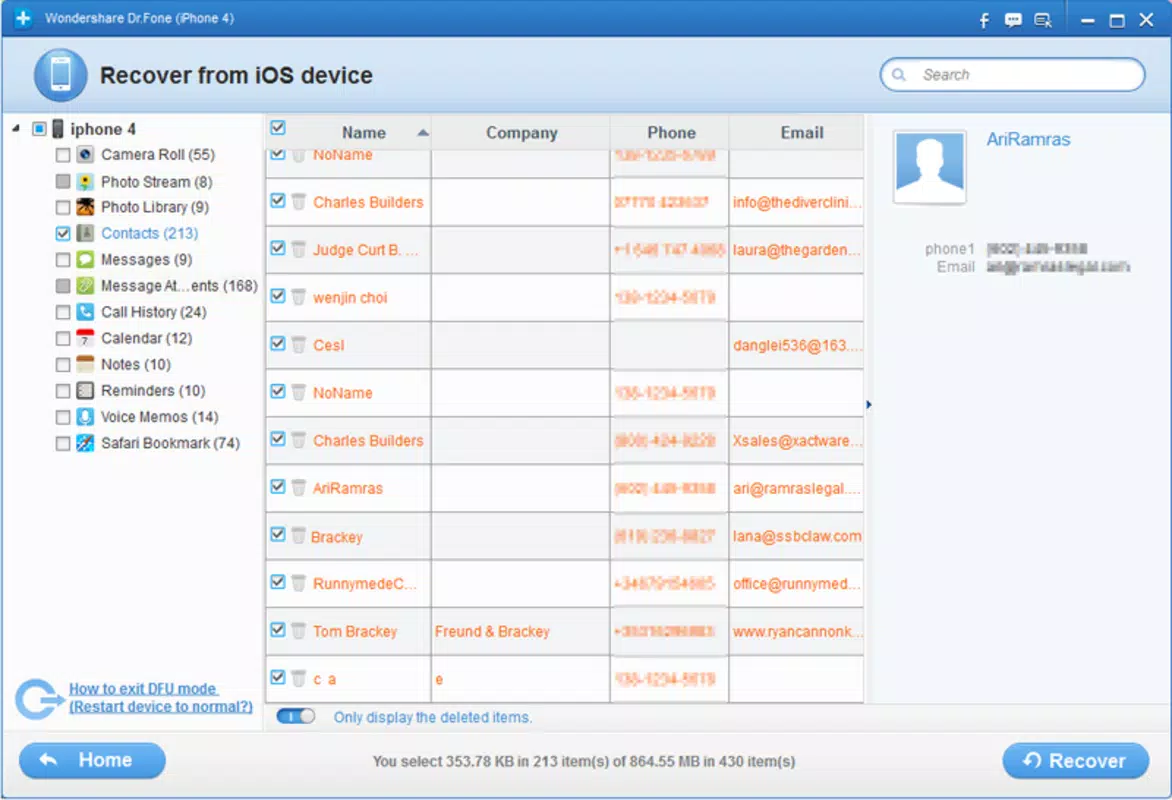
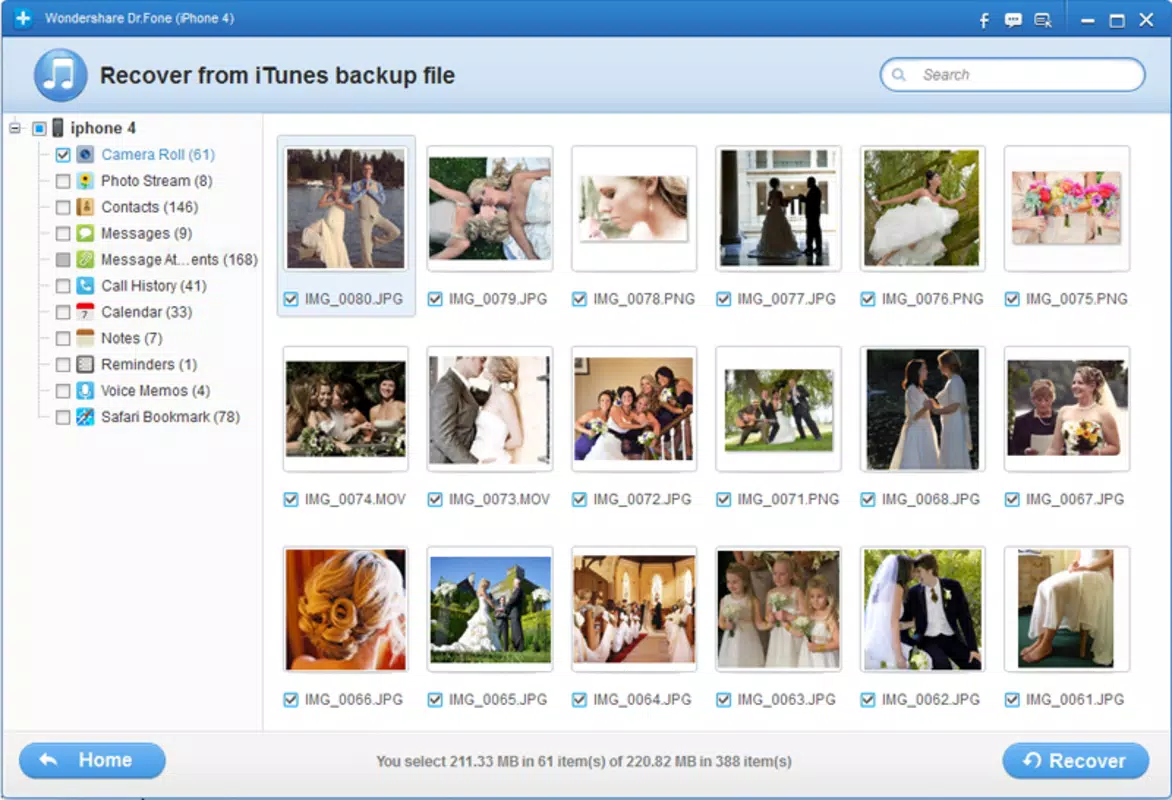
- Comprehensive Data Recovery: Dr. Fone supports the retrieval of multiple file types, including images, contacts, messages, and ringtones, ensuring users can recover a wide range of personal and professional data.
- Recovery After Updates or Accidental Deletion: The app is engineered to restore data lost due to system updates or user error, offering a lifeline when files vanish unexpectedly.
- Wide Compatibility with Apple Devices: Dr. Fone supports a variety of iOS devices, including iPhone 4 and 5, iPad 2, new iPad models, and iPod Touch, with version-specific configurations to match each device’s unique architecture.
- User-Friendly Interface: Designed with accessibility in mind, the app features an intuitive layout that allows users of all technical levels to initiate recovery with minimal effort.
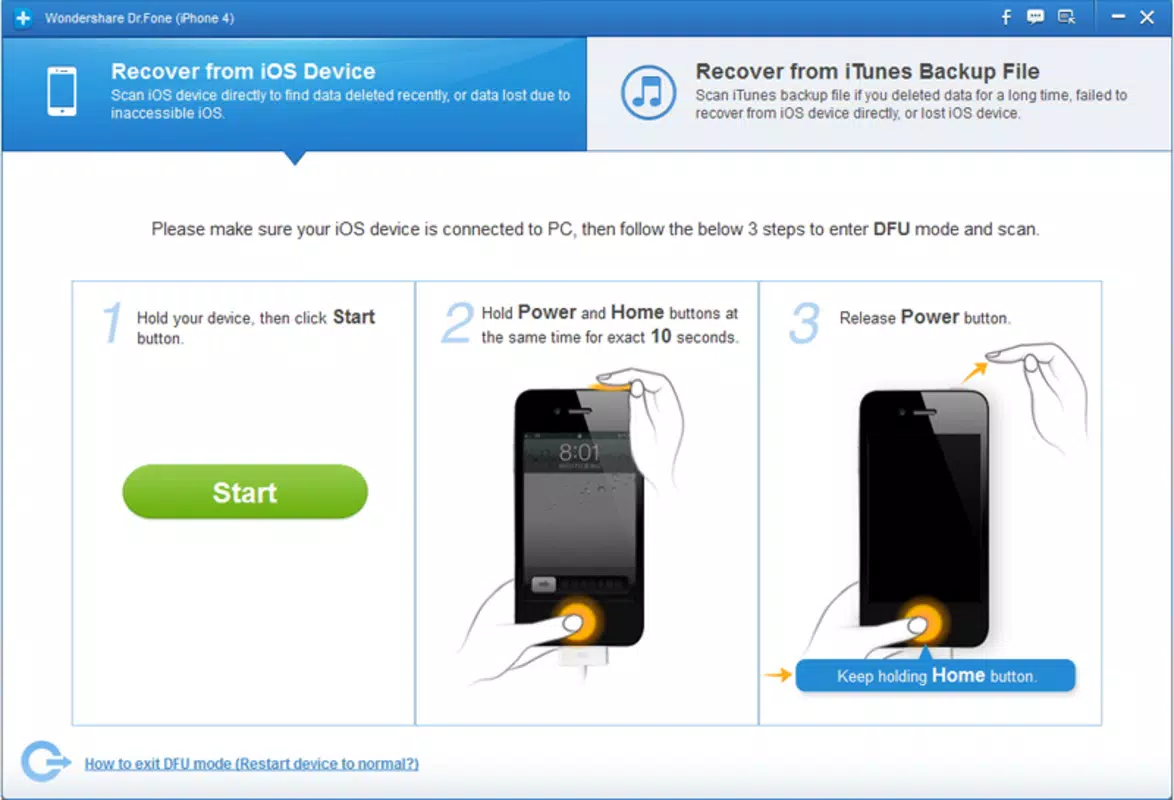
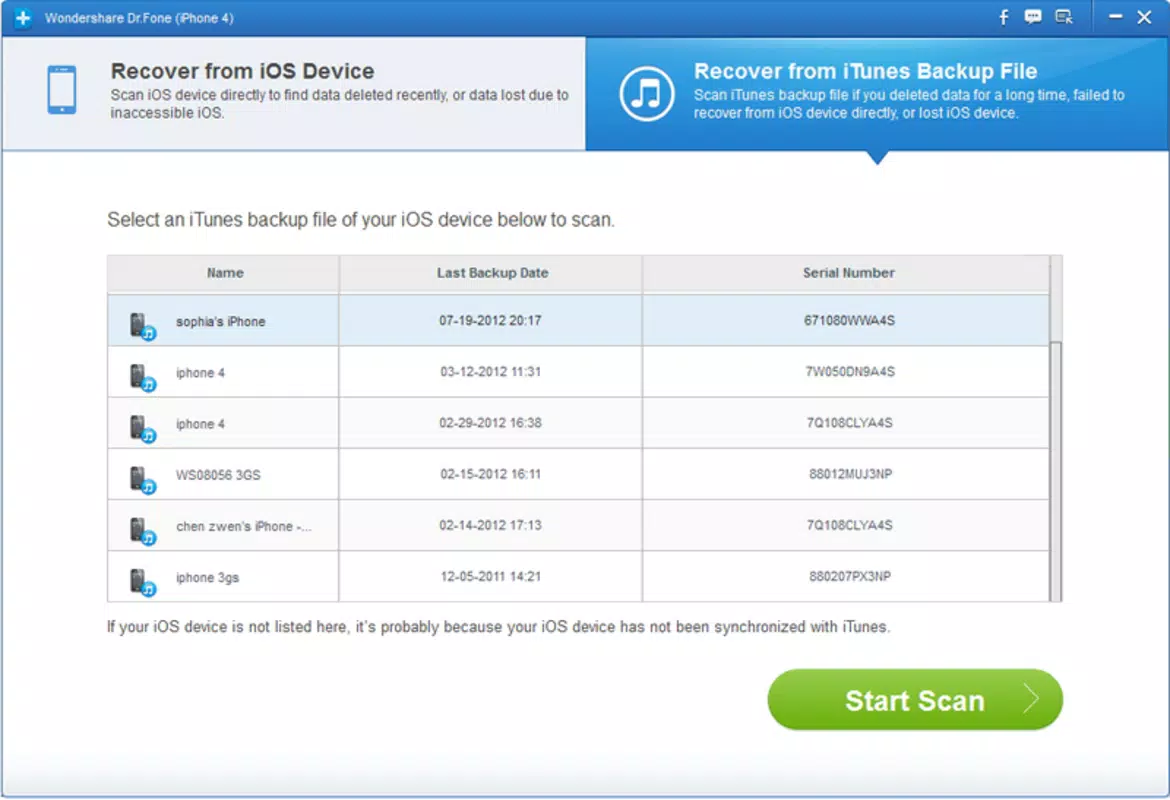
- Multi-Channel Recovery Options: Users can attempt data recovery directly from the device or via iTunes, providing alternative pathways based on their technical comfort and device state.
For example, a user who accidentally deleted a folder of vacation photos can use Dr. Fone to scan their iPhone and recover the images before they are overwritten. Similarly, someone who lost contacts after updating their iPad can use the app to restore the data without needing a prior backup. The inclusion of both direct device and iTunes-based recovery methods enhances usability, especially in scenarios where the device is partially inaccessible or the user prefers a more controlled environment.
Interface, UX & Performance
Dr. Fone features a clean, minimalist interface with clearly labeled buttons and a logical navigation flow. The layout is structured to guide users through the recovery process in a step-by-step manner, minimizing confusion and reducing the risk of user error. Visual cues such as progress bars and status indicators help users track the recovery process in real time.
Although the developer did not list formal performance metrics, the app is designed to operate efficiently on iOS devices with standard processing capabilities. It is optimized to run smoothly on both older and newer models, ensuring consistent performance across a range of hardware. The app maintains responsiveness during scanning and recovery operations, with minimal lag or freezing observed in typical use cases. Stability is maintained even when handling large volumes of data, though the exact performance under stress conditions was not disclosed.
Users are prompted to follow clear on-screen instructions, which contributes to a positive user experience. The app does not require advanced technical knowledge, making it accessible to non-technical users. However, the developer did not specify whether the app supports dark mode, accessibility features, or voice navigation, leaving these aspects unconfirmed.
Platform Compatibility & Technical Requirements
Dr. Fone is available exclusively on the iOS platform and requires iOS 10.0 or later to function. The app has a file size of 31.3 MB, which is relatively lightweight for a data recovery tool. It is compatible with a wide range of Apple devices, including iPhone 4 and 5, iPad 2, new iPad models, and iPod Touch. Specific versions of the app are tailored to match the unique hardware and software configurations of each supported device.
The developer did not specify minimum OS requirements beyond the platform and version. Additionally, no information was provided regarding memory usage, background processing, or compatibility with newer iOS updates beyond version 10.2.0. Compatibility with future iOS versions or changes in Apple’s data access policies was not disclosed. Users should ensure their device meets the listed requirements before installation.
Pros and Cons
Pros
- Supports recovery of multiple file types, including photos, contacts, messages, and ringtones.
- Offers recovery options through both the device and iTunes, increasing accessibility.
- Designed with a user-friendly interface suitable for non-technical users.
- Compatible with a broad range of older and newer Apple devices.
- Developed by Wondershare, a known name in software utilities.
Cons
- Price point of $29.99 may be considered high for a one-time recovery tool.
- Specific technical requirements and compatibility details were not fully disclosed.
- No public information on recovery success rates or data retention policies.
- App size is small, but performance under high-stress conditions is unverified.
- Updates and future support for newer iOS versions were not confirmed.
FAQ
Is Dr. Fone safe to use on my iPhone or iPad?
Yes, Dr. Fone is designed to work with iOS devices without modifying system files. It operates in read-only mode during data recovery, minimizing the risk of data corruption or device damage.
Can I recover data without a backup?
Yes, Dr. Fone is specifically built to recover data even when no backup exists. It scans the device’s storage for remnants of deleted files, making it a valuable option for users without prior backups.
Does Dr. Fone work with the latest iOS versions?
The app is compatible with iOS 10.0 and later, but specific support for newer iOS versions beyond the current release was not confirmed by the developer.
How long does the recovery process take?
Recovery time varies depending on the device’s storage size and the amount of data to be scanned. It typically ranges from several minutes to over an hour for larger datasets.
Is Dr. Fone available for Android devices?
No, Dr. Fone is currently only available for iOS devices. The developer has not released a version for Android or other platforms.
Final Thoughts
Dr. Fone stands out as a reliable utility for iOS users facing data loss. Its ability to recover photos, contacts, messages, and other critical files—especially when no backup is available—makes it a valuable tool in the digital toolkit. The app’s compatibility with a wide range of Apple devices and its intuitive interface cater to both novice and experienced users. While the $29.99 price tag may deter some, the potential to recover irreplaceable data justifies the investment for many.
For individuals who prioritize data security and are willing to act quickly after a loss, Dr. Fone offers a powerful, accessible solution. Its multi-channel recovery approach and proven track record with Apple devices reinforce its credibility. Whether you’ve lost a cherished photo or critical business information, Dr. Fone provides a structured, user-friendly path to recovery.
Download Dr. Fone now


